Onboarding & seller readiness
How a user progresses from signup to selling, and the two axes that decide what they can do.
In plain words
Every user travels a path: they sign up, say where they are, and the first time they publish a listing they tell the payment provider who to pay. We track where each person is on that path.
Separately, every account has a standing: in good standing, suspended, or banned. That is a different thing from how far along they are.
What a person is actually allowed to do depends on both. To be paid, they need a registered payment account and to be in good standing. So a registered seller who gets suspended can no longer sell, even though nothing about their data changed. The two are tracked separately on purpose: one answers "how far did they get?", the other answers "are they allowed right now?".
The journey, and the three ways in
Onboarding is really two phases, and the common mistake is to draw it as one forced wizard.
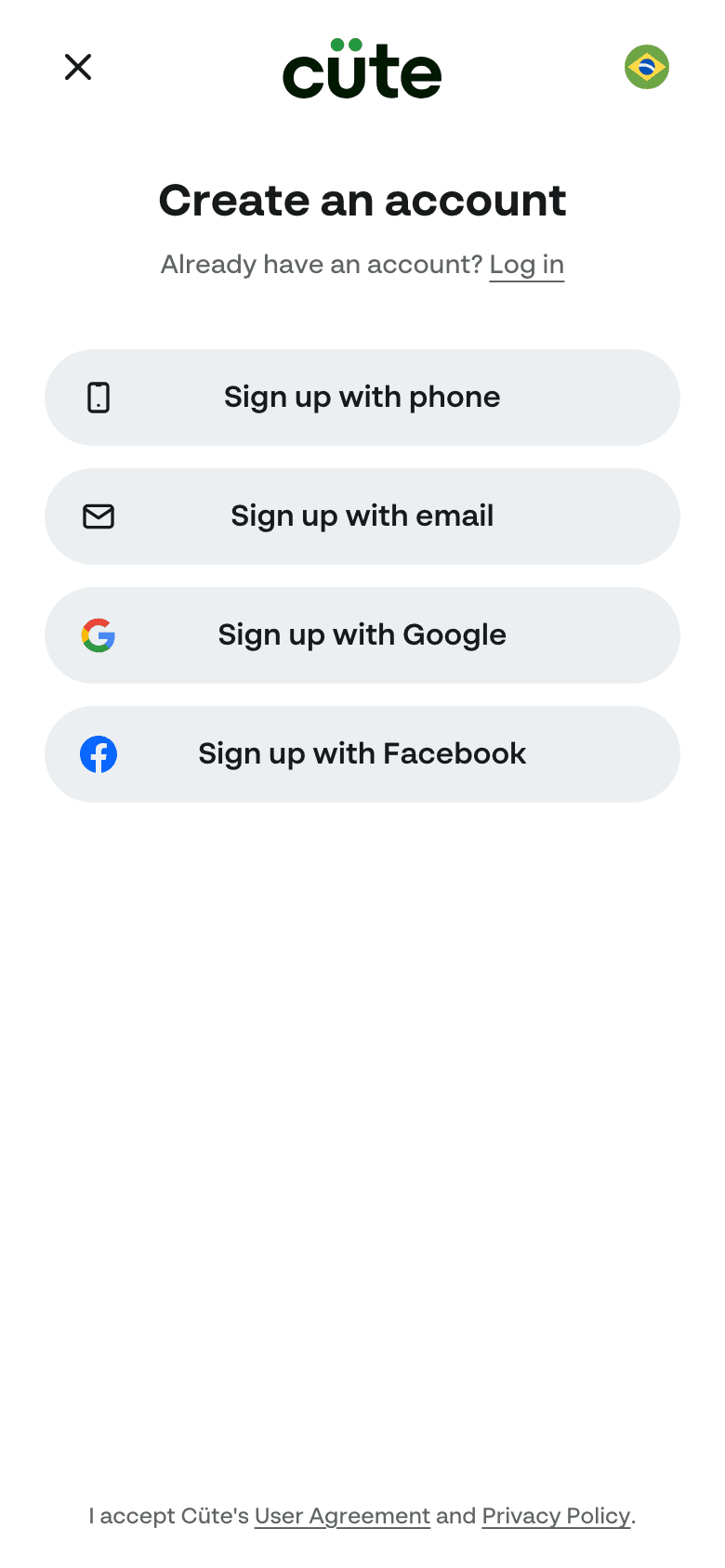
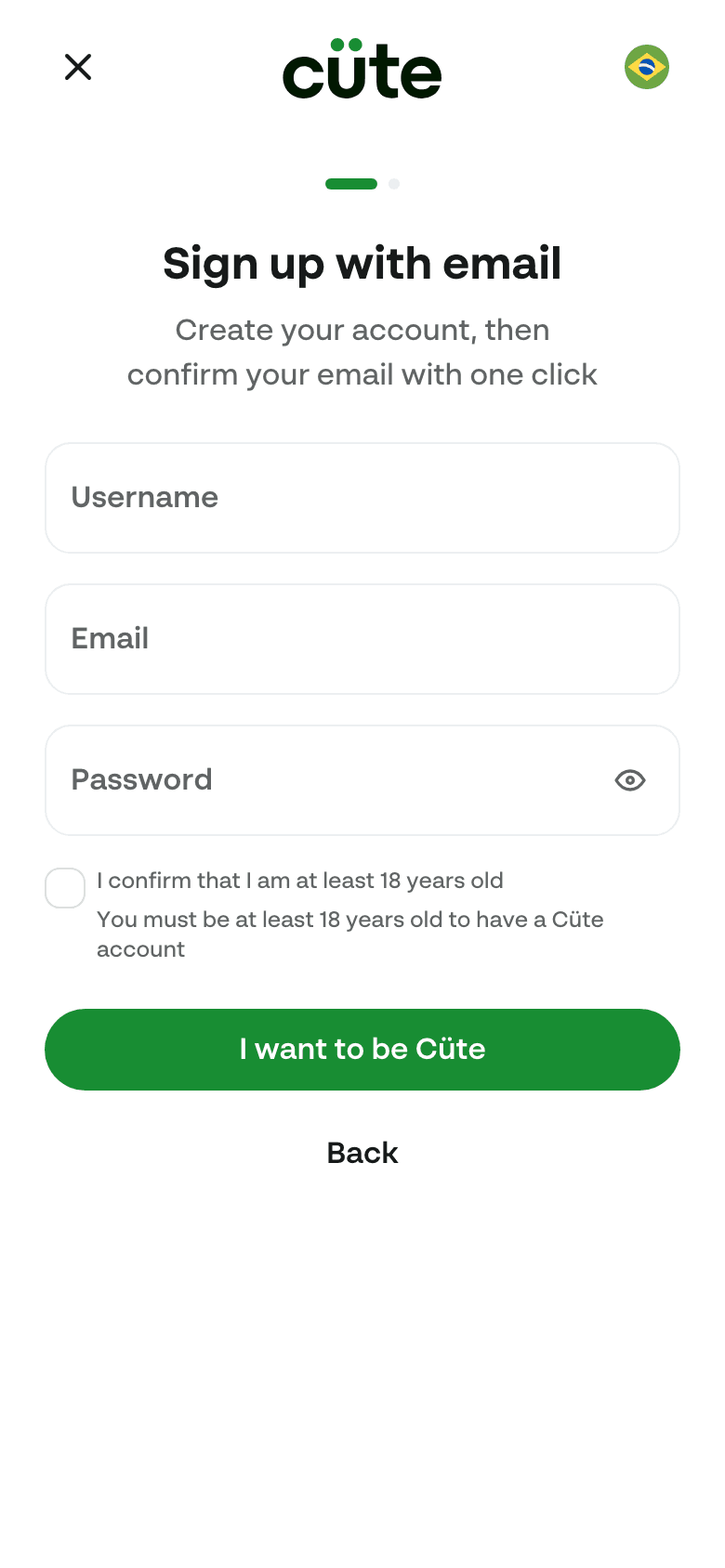
Phase 1, create your account. You sign up and confirm the one channel signup used: phone signup confirms the phone by SMS, email signup confirms the email via the magic link, Google or Facebook arrive with the email already confirmed by the provider. Then you are simply in, the callback drops you on the home page and you can browse. There is no phone step here.
Phase 2, one dialog at the first publish. "Sell now" is the listing form; nothing is asked before it. The first time a seller publishes, one dialog over the form asks who the payment provider pays, and only what the profile still lacks: the legal name, the birthday and the address (the listing's ship-from address where it has one) on every rail, because Stripe DE refuses the recipient service agreement for DE accounts and an account created from the terms attestation alone cannot receive transfers until the person is known; plus the CPF, the phone and the bank account on Pagar.me, whose recipient cannot exist without them. The seller is registered, the listing goes live. Buying asks for nothing up front: a tax identifier where the market collects one (BR's CPF) is asked at checkout, in place.
The shape tells you the kind of node: a hexagon is a verification gate (yellow = you act, grey = automatic), a rectangle is a form, a rounded pill is a state you land in.
No diagram code provided
Two things the picture makes concrete:
- The rail decides which fields the dialog asks, never the market by name.
identityRules.taxIdRequiredToBuy,identityRules.phoneRequiredToSelland the gateway'spayoutDestinationRequiredToRegisteradd the CPF, the phone and the bank account to the legal name, birthday and address every rail wants (sellerIdentityRulesFor). Receiving money needs the account to exist on every rail; withdrawing needs it operational, compliant and with a payout destination. - A stored value is a well-formed value. A CPF only lands once its check digits hold; an email only once Supabase confirms it. Eligibility can stay "is the column filled in?" precisely because nothing writes a malformed value. Note what the BR tax-identifier gate is not: it does not call a registry. That check ran on every BR signup, cost money per call, and stamped
cpf_verified_at, which no rule ever read — while the party whose verdict actually gates payouts is Pagar.me at recipient creation. An admin can still spend a Receita lookup on a specific seller from the admin panel. The columns each step writes, and therecomputeOnboardingStatethat turns them into capabilities, are in the tables below.
The rest of this page is the engineer's view of that path.
The screens
Here is what the user actually sees, one frame per node in the journey above. These are captured from the running app by the onboarding-screens Playwright spec (apps/web/e2e), so they stay honest, re-run it to refresh them.
Phase 1 — create your account

For engineers
Onboarding answers two different questions, and Cüte keeps them on two separate axes:
| Axis | Column | Question it answers | Owner |
|---|---|---|---|
| Setup progress | users.onboarding_state | "How far has this user gotten?" | the data the user fills in |
| Standing | users.account_status | "Is this user allowed right now?" | admins / system enforcement |
A capability (can they buy, sell, withdraw) is the AND of the two: enough data and good standing. That is why a fully set-up but suspended seller is seller_ready on the progress axis while canList is false. The two are not "out of sync", they answer different questions. The capability rules live on the seller eligibility page; this page covers the progress axis.
The progress ladder
onboarding_state is a pure projection of the user's data, computed by deriveOnboardingState in packages/commerce/onboarding/onboarding.eligibility.ts.
No diagram code provided
| State | Meaning | Data behind it |
|---|---|---|
unverified | buyer identity incomplete | the market's tax identifier missing, where it collects one |
buyer_ready | can buy; no payment account yet | the buy data complete, no provider account row |
seller_pending | registered at the first publish, not yet payable | a payment account exists, but the provider has not activated it, or the place is missing |
seller_ready | payable | a place, the phone where the rail wants one, an operational payment account |
seller_suspended | reflects account_status = "suspended" | sticky while suspended; auto-clears to the data-derived state when standing returns to active |
The payment account's own status, and whether a payout destination is active, are deliberately not part of this ladder. They gate withdrawal only (see seller eligibility).
Set-to-target: the projection is written directly
recomputeOnboardingState (onboarding.service.ts) reads the source columns, computes the derived state, and writes it directly with optimistic concurrency. There is no step-by-step edge walking:
- A user who completes everything at once jumps straight to
seller_readyin a single recompute. - The one-shot backfill of existing users lands each user on the correct rung immediately.
- Removing a required field drops the user back to the matching rung, however many levels down.
The transition table in onboarding.machine.ts (and the diagram above) documents the atomic legal edges for the /statecharts simulator and for human reading. It is not consulted at runtime.
Who triggers a recompute
The projection is recomputed by every server action that writes a source column, inside the same transaction as the write:
| Trigger | Where |
|---|---|
| Signup lands a new user | auth/services/stamp-new-auth-user-home.service.ts |
| Phone verified | verifications/services/stamp-verified-phone.service.ts |
| Profile edited | users/actions/update-user-profile.action.ts |
| Address added or removed | addresses/actions/create-address.action.ts, delete-address.action.ts |
| Provider webhook moves a recipient | payments/services/process-normalized-webhook.service.ts |
| Admin edits a field, suspends, restores, relocates | admin/admin-users/actions/* |
| Account deactivated | users/actions/deactivate-user-account.action.ts |
A recompute does not refresh the JWT, and it must not. Capabilities are not claims — the access-token hook stamps only app_role and country_code. deriveEligibility reads live columns immediately before every mutation that matters, so there is nothing stale to invalidate. The one write that does re-mint a token is a country change, because the market is derived from it.
Suspension
Admins set account_status, then recompute in the same transaction. deriveOnboardingState maps account_status = "suspended" to seller_suspended, and back to the data-derived state when standing returns to active. Suspension is not just a label: it removes canList and canWithdraw through the eligibility predicate (see seller eligibility).
Audit trail
Every net transition is written to user_onboarding_events with the actor (system or admin), the from/to states, and metadata describing the trigger. resolveOnboardingEvent maps any net transition (including multi-rung jumps) to a domain event name (buyer_data_completed, seller_activated, seller_suspended, seller_restored, and so on).